cropper
update

{COMPANY_NAME}

Digital Nomad Weekly logo
update
  • Home
  • Categories
    • Productivity
    • Health
    • Packing
    • Food
    • Wellness
    • Workspaces
    • Culture
March 27.2026
3 Minutes Read

Discovering Productive Uses for NotebookLM Beyond School Settings

Discovering Productive Uses for NotebookLM Beyond School Settings

Unlocking New Potential: Beyond Academic Use of NotebookLM

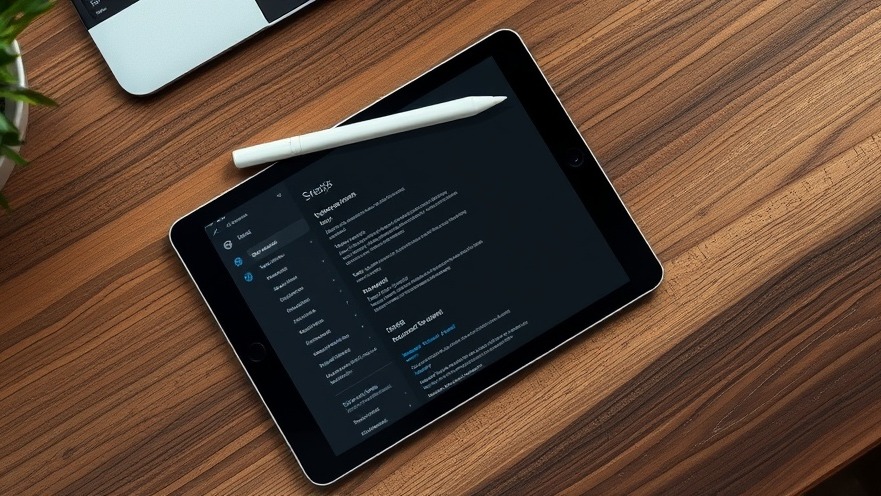
In a world driven by constant information overflow, the use of productivity tools such as NotebookLM has transcended mere academic assistance. As a digital nomad, you are likely aware of the boundless applications technology offers in your pursuit of creativity and efficiency. Here, we explore how NotebookLM can enhance your professional toolkit and personal projects, proving that it isn't just another school-related tool.

Leveraging NotebookLM for Professional Development

One of the unexpected benefits of NotebookLM is its ability to centralize your professional learning. For individuals passionate about skill acquisition, this platform can streamline the process of mastering new concepts. For instance, if you're exploring AI development or self-hosting projects, you can curate a tailored notebook. This means collecting various tutorials, forums, and documentation in one easy-to-navigate space. By generating questions and insights, you can effectively break down complex subjects and tackle them at your own pace, making it an invaluable resource for ongoing education.

Building Your Personal Knowledge Base

Another innovative approach to using NotebookLM is transforming it into your digital knowledge base. This function allows users to compile a wealth of information, analysis, and resources in one centralized hub. From articles to personal notes, you can harness the power of AI to retrieve and connect information quickly, enabling informed decision-making.

This powerful search capability can enhance efficiency. Whether you're drafting a comprehensive report or strategizing a project, simply asking NotebookLM a question can instantly surface related ideas and content you've uploaded, akin to having a dedicated research assistant at your fingertips.

Mastering New Hobbies and Interests

Your interests as a digital nomad don't have to be limited to work alone. NotebookLM shines when it comes to personal projects or exploratory learning. Consider it an excellent companion for exploring new hobbies—whether it's photography, travel planning, or learning a new language. Compile sources of inspiration and tutorials into one notebook, and let the AI support your journey by summarizing key concepts or techniques.

For example, if you are venturing into photography, you can collate the best articles on techniques and gear. Ask questions to clarify doubts and build a structured learning framework while nurturing your creative instincts.

Enhancing Remote Collaboration

Working remote often necessitates collaboration with diverse teams worldwide. NotebookLM facilitates this by allowing multiple users to contribute, edit, and interact with projects in one digital space. This makes it much easier to keep track of ideas and drafts, ensuring that collaboration is cohesive and productive.

By using shared notebooks, you can gather team inputs, collate feedback, and streamline project updates, making it a powerful tool for collaborative work beyond the classroom.

Future of Your Learning Journey

As AI technologies continue to evolve, the potential applications of NotebookLM will grow. It can serve as a platform not just for learning, but for innovating and experimenting within your personal and professional life. This adaptability empowers users to explore their interests without the constraints of traditional learning environments.

Starting today, dive into the potential of NotebookLM as a tool for more than just schooling; consider it a partner in your quest for knowledge and creativity.

Productivity

0 Comments

Write A Comment

*
*
Please complete the captcha to submit your comment.
Related Posts All Posts
11.05.2026

Discover Two Free E-Books This November with Amazon Prime!

Update Unlock a World of Reading: Discover Your Free Kindle E-Books Amazon Prime members are in for a treat this November with the opportunity to snag two free e-books through Amazon's enticing First Reads program. Curated specifically for Prime members, this initiative not only enhances your reading list but also offers a chance to explore various genres without spending a dime. In an age dominated by digital content consumption, such opportunities are invaluable for digital nomads seeking both knowledge and entertainment. What Is Amazon's First Reads Program? Amazon's First Reads program aims to provide early access to an array of fresh e-book titles. It allows Prime members to enjoy one free e-book each month, handpicked by a dedicated team of editors. This not only helps you discover new authors but also supports their work, enriching the literary ecosystem. Some months, like this November, members can even choose two books. Navigating Free E-Books: Step-by-Step Guide For those interested in claiming their free reads, it’s essential to follow a few straightforward steps to ensure a seamless experience. First, visit the [First Reads landing page](#) to explore the selection available this month. It's crucial to use a web browser instead of the Kindle or mobile app. Look for the button that says "Read for Free" or "Buy Now with 1-Click" under the First Reads banner, ensuring that you avoid the pre-order option that isn’t free. Once you complete the process, you’ll receive an order confirmation indicating success, and the e-book will automatically sync to your Kindle. Featured Free E-Books for November This month, Prime members can choose from an exciting selection that showcases the diversity of genres available. Here are some noteworthy titles: Certainty: A Short Story by Laura Dave - A poignant book club fiction piece. The Red Robin of Christmas by Santa Montefiore - Dive into the spirit of holidays with this charming tale. The Lost Ones by Mia Sheridan - A psychological thriller that will keep you on the edge of your seat. Between Breaths: A Novel by Abigail Rose-Marie - This historical fiction intricately interweaves personal and collective narratives. The Chaperones by Amy Meyerson - A gripping mystery that will undoubtedly leave you guessing. Paradise of Lies by Brittany Amara - A contemporary fantasy that invites readers into a world of wonder. Each of these selections is designed to cater to varying interests and gives readers a chance to delve into different storytelling styles, enhancing both personal enjoyment and relaxation. Why E-Books Matter for Digital Nomads As a digital nomad, mastering your productivity can often feel overwhelming. One effective way to balance work and leisure is through reading. E-books offer convenience; they’re portable and provide access to an entire library without the bulk of physical books. For travelers and remote workers, this means you can enrich your skills or escape into a fantasy world, all while waiting at an airport or lounging in a cafe. Plus, consuming books digitally can significantly cut down on time, aligning perfectly with the fast-paced nature of modern lifestyles. Future Value of Reading Engaging with various genres and authors broadens your perspective and enriches your knowledge base, making it easier to navigate complex situations in both personal and professional life. The skills learned from reading can lead to innovative thinking, better problem-solving abilities, and enhanced emotional intelligence, vital components for success in any field. Take Action: Start Your Free Reading Journey Don’t miss out on this unique opportunity to enhance your literary repertoire with Amazon’s First Reads program. Set aside some time this month to select and immerse yourself in your free e-books—after all, each story can serve as a stepping stone toward greater productivity, creativity, and inspiration.

11.01.2026

Discover Top Hacks to Maximize Your Fitbit Edge Productivity

Update Unlocking the Full Potential of the Fitbit EdgeThe Fitbit Edge strikes a remarkable balance between minimalism and functionality for users who value fitness tracking with a dash of convenience. As a digital nomad striving for optimal productivity, having tools that enhance your performance is essential. Here are some clever hacks to maximize your Fitbit Edge experience, ensuring your health journey aligns seamlessly with your busy lifestyle.Customize Your Watch Face Beyond the BasicsOne lesser-known feature of the Fitbit Edge is its ability to let you customize your watch face directly from your phone. Dive into the Google Health app, navigate to your device settings, and tap on All Clocks to browse through available faces. You can not only switch designs but also personalize color schemes and choose which complications appear. With a well-curated watch face, your device will not only tell time but will also reflect your style, whether it's showing steps walked or the current weather.Adjust Button Orientation for ComfortComfort matters, especially when you're on the move. Many Fitbit users might find that the side button placement doesn't match their wrist-wearing style. Thankfully, this is easily adjustable! Simply access the Google Health app's Device preferences, switch the Tracker orientation, and flip your watch around. A small tweak can make a world of difference, ensuring that accidental button presses don’t interrupt your day.Utilizing AI Insights WiselyFor some, the AI-powered Health Coach in the Google Health app can feel overwhelming. To gain control of this feature without losing it entirely, you can turn off unprompted coaching insights. Just head to your profile in the app, hit Google Health Settings, then Coaching, and choose No Coach Insights. Enjoy the insights needed while minimizing distractions throughout your day.Sync Your Heart Rate with StravaIf you’re an avid user of Strava, you’ll appreciate this tip. The Fitbit Edge can broadcast your heart rate to the Strava app, allowing for more detailed workout tracking. Activate heart-rate broadcasting by swiping down from the top of your watch screen to find the wifi heart icon. In the Strava app, start a workout and select the Fitbit Edge as your heart rate sensor. This way, you can analyze your performance in real-time, including laps and maps based on precise heart-rate data.Regulating Step Counting for AccuracyStep counting can be sensitive with wearable devices, often registering hand movements inaccurately. To mitigate overcounting, adjust the device’s sensitivity settings. If you wear your watch on your dominant hand, go to Device preferences in the app and select dominant wrist. This adjustment can help ensure more accurate activity tracking, ultimately enhancing your health insights.Optimize GPS Usage for Extended Battery LifeYour Fitbit Edge can utilize built-in GPS or connect to your phone's GPS to log workouts. To extend battery life, consider turning off the GPS when it's not necessary. If you’re simply tracking daily activity, use the built-in pedometer and enable GPS only for specific workouts. Being mindful of this feature can yield significant battery savings, keeping your device powered when you need it most.

10.26.2026

How to Protect Yourself from iPhone Duo Preorder Scams

Learn how to protect yourself from iPhone Duo preorder scams, including identifying fraudulent sites and avoiding hidden charges.

Terms of Service

Privacy Policy

Core Modal Title

Sorry, no results found

You Might Find These Articles Interesting

T
Please Check Your Email
We Will Be Following Up Shortly
*
*
*