cropper
update

{COMPANY_NAME}

Digital Nomad Weekly logo
update
  • Home
  • Categories
    • Productivity
    • Health
    • Packing
    • Food
    • Wellness
    • Workspaces
    • Culture
January 16.2026
3 Minutes Read

Why Every Digital Nomad Should Replace Their Messaging Apps with Beeper

Why Every Digital Nomad Should Replace Their Messaging Apps with Beeper

A Revolutionary Shift in Messaging: The Power of Beeper

As digital nomads or professionals on the move, managing communication has often become a chore. The problem isn’t the lack of messaging apps; it’s the overwhelming multitude of them. If you’ve ever felt buried under piles of notifications from WhatsApp, Telegram, Messenger, and Slack, you’re not alone.

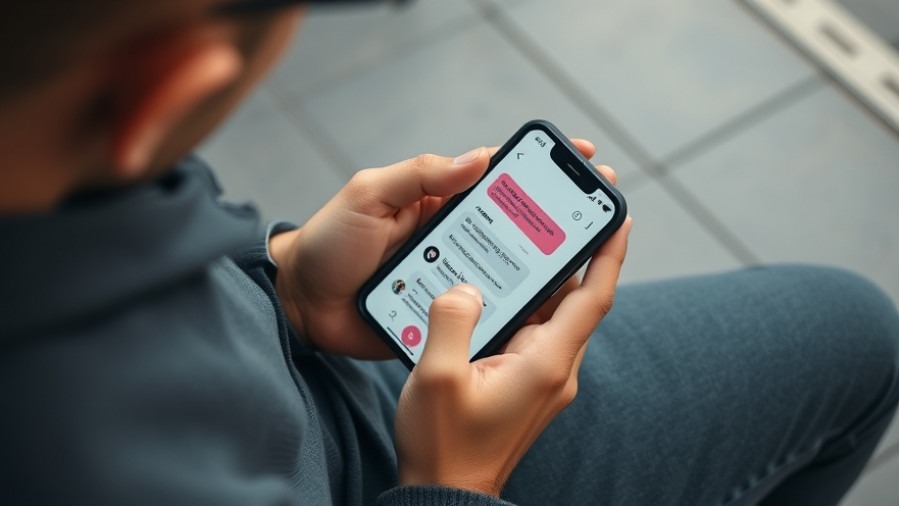
Imagine a world where all your conversations in a single app free from constant switching between different platforms. Enter Beeper, an all-in-one messaging app that consolidates these separate streams into one user-friendly interface.

What Exactly is Beeper?

Beeper is designed to provide a seamless experience for users who find it cumbersome to juggle multiple messaging apps. Acquired by Automattic in 2024, Beeper has evolved as a robust solution that integrates popular platforms such as WhatsApp, Telegram, Instagram, Slack, and more. All your messages can be accessed through just one application, whether you’re using Android, iOS, Windows, macOS, Linux, or even ChromeOS.

Essentially, Beeper acts like a universal chat client, syncing messages across platforms while ensuring privacy and data security through its Matrix protocol, which enhances communication without the necessity of proprietary servers. Users benefit from features like cross-platform consistency and the convenience of all messages curated in a unified inbox.

Why Beeper Stands Out for Digital Nomads

For digital nomads constantly on the go, Beeper’s capacity to merge different messaging services into one platform provides clarity and ease of use. Dealing with work messages on Slack alongside personal chat on WhatsApp is now just a click away. This efficiency eases the stress of managing scattered communications, allowing you to focus on what truly matters—your work or adventures.

Moreover, a free tier allows you to connect up to five messaging services, while a paid subscription expands this limit to ten. Such flexibility ensures that you can engage with family, friends, clients, and colleagues without the need to download multiple apps.

Transforming Communication with Convenience

One of the most significant advantages of Beeper is how it addresses the chaos of numerous notifications. Within Beeper, users can easily pin important conversations, allowing quick access to frequently contacted individuals or groups. For those who often work between screens, keeping Beeper open on a secondary monitor helps ensure you’re aware of pertinent communications without the need for constant app switching.

Setting up Beeper is a straightforward process, requiring users to create an account and link their messaging services one by one. The interface not only promises a clean layout but also includes helpful features like the ability to exclude certain services, streamlining your chat experience even further.

Challenges and Potential Improvements

Despite its innovative approach, Beeper has faced its own share of challenges. Users have reported issues with integrating certain services consistently, particularly some proprietary APIs that may not function seamlessly. However, these challenges do not overshadow the immense advantages provided by the unified interface and improved workflow.

Future iterations of Beeper could certainly benefit from independent filters for notifications based on messages from specific networks. Greater customization options could further enhance user satisfaction, allowing for a tailored messaging experience that fits each individual’s routine.

The Cultural Shift Towards Unification in Messaging

As we step further into 2026, the call for unified messaging platforms resonates deeply. Organizations are under pressure to enhance inter-connectivity in their operations. Beeper serves as not just a convenient tool but also a banner of culture shift, indicating that convenience should not come at the expense of privacy. It brings an opportunity to reduce communication overload, allowing users to reclaim their time and focus on engaging, productive conversations.

Digital nomads have the chance to replace their communication chaos with an efficient tool that says goodbye to numerous clicks and hello to all-in-one messaging. With increasing reliance on such features, embracing Beeper could signal a major shift in how we utilize digital communication.

Conclusion: A Call to Action for Digital Nomads

In a world where effective communication is vital for success, investing in a tool like Beeper could vastly improve your efficiency. Don’t let the complexity of numerous apps slow you down—consider unifying your messaging with Beeper. It’s time to simplify and enhance your communication, allowing you more space to focus on your adventures ahead.

Productivity

0 Comments

Write A Comment

*
*
Please complete the captcha to submit your comment.
Related Posts All Posts
11.05.2026

Discover Two Free E-Books This November with Amazon Prime!

Update Unlock a World of Reading: Discover Your Free Kindle E-Books Amazon Prime members are in for a treat this November with the opportunity to snag two free e-books through Amazon's enticing First Reads program. Curated specifically for Prime members, this initiative not only enhances your reading list but also offers a chance to explore various genres without spending a dime. In an age dominated by digital content consumption, such opportunities are invaluable for digital nomads seeking both knowledge and entertainment. What Is Amazon's First Reads Program? Amazon's First Reads program aims to provide early access to an array of fresh e-book titles. It allows Prime members to enjoy one free e-book each month, handpicked by a dedicated team of editors. This not only helps you discover new authors but also supports their work, enriching the literary ecosystem. Some months, like this November, members can even choose two books. Navigating Free E-Books: Step-by-Step Guide For those interested in claiming their free reads, it’s essential to follow a few straightforward steps to ensure a seamless experience. First, visit the [First Reads landing page](#) to explore the selection available this month. It's crucial to use a web browser instead of the Kindle or mobile app. Look for the button that says "Read for Free" or "Buy Now with 1-Click" under the First Reads banner, ensuring that you avoid the pre-order option that isn’t free. Once you complete the process, you’ll receive an order confirmation indicating success, and the e-book will automatically sync to your Kindle. Featured Free E-Books for November This month, Prime members can choose from an exciting selection that showcases the diversity of genres available. Here are some noteworthy titles: Certainty: A Short Story by Laura Dave - A poignant book club fiction piece. The Red Robin of Christmas by Santa Montefiore - Dive into the spirit of holidays with this charming tale. The Lost Ones by Mia Sheridan - A psychological thriller that will keep you on the edge of your seat. Between Breaths: A Novel by Abigail Rose-Marie - This historical fiction intricately interweaves personal and collective narratives. The Chaperones by Amy Meyerson - A gripping mystery that will undoubtedly leave you guessing. Paradise of Lies by Brittany Amara - A contemporary fantasy that invites readers into a world of wonder. Each of these selections is designed to cater to varying interests and gives readers a chance to delve into different storytelling styles, enhancing both personal enjoyment and relaxation. Why E-Books Matter for Digital Nomads As a digital nomad, mastering your productivity can often feel overwhelming. One effective way to balance work and leisure is through reading. E-books offer convenience; they’re portable and provide access to an entire library without the bulk of physical books. For travelers and remote workers, this means you can enrich your skills or escape into a fantasy world, all while waiting at an airport or lounging in a cafe. Plus, consuming books digitally can significantly cut down on time, aligning perfectly with the fast-paced nature of modern lifestyles. Future Value of Reading Engaging with various genres and authors broadens your perspective and enriches your knowledge base, making it easier to navigate complex situations in both personal and professional life. The skills learned from reading can lead to innovative thinking, better problem-solving abilities, and enhanced emotional intelligence, vital components for success in any field. Take Action: Start Your Free Reading Journey Don’t miss out on this unique opportunity to enhance your literary repertoire with Amazon’s First Reads program. Set aside some time this month to select and immerse yourself in your free e-books—after all, each story can serve as a stepping stone toward greater productivity, creativity, and inspiration.

11.01.2026

Discover Top Hacks to Maximize Your Fitbit Edge Productivity

Update Unlocking the Full Potential of the Fitbit EdgeThe Fitbit Edge strikes a remarkable balance between minimalism and functionality for users who value fitness tracking with a dash of convenience. As a digital nomad striving for optimal productivity, having tools that enhance your performance is essential. Here are some clever hacks to maximize your Fitbit Edge experience, ensuring your health journey aligns seamlessly with your busy lifestyle.Customize Your Watch Face Beyond the BasicsOne lesser-known feature of the Fitbit Edge is its ability to let you customize your watch face directly from your phone. Dive into the Google Health app, navigate to your device settings, and tap on All Clocks to browse through available faces. You can not only switch designs but also personalize color schemes and choose which complications appear. With a well-curated watch face, your device will not only tell time but will also reflect your style, whether it's showing steps walked or the current weather.Adjust Button Orientation for ComfortComfort matters, especially when you're on the move. Many Fitbit users might find that the side button placement doesn't match their wrist-wearing style. Thankfully, this is easily adjustable! Simply access the Google Health app's Device preferences, switch the Tracker orientation, and flip your watch around. A small tweak can make a world of difference, ensuring that accidental button presses don’t interrupt your day.Utilizing AI Insights WiselyFor some, the AI-powered Health Coach in the Google Health app can feel overwhelming. To gain control of this feature without losing it entirely, you can turn off unprompted coaching insights. Just head to your profile in the app, hit Google Health Settings, then Coaching, and choose No Coach Insights. Enjoy the insights needed while minimizing distractions throughout your day.Sync Your Heart Rate with StravaIf you’re an avid user of Strava, you’ll appreciate this tip. The Fitbit Edge can broadcast your heart rate to the Strava app, allowing for more detailed workout tracking. Activate heart-rate broadcasting by swiping down from the top of your watch screen to find the wifi heart icon. In the Strava app, start a workout and select the Fitbit Edge as your heart rate sensor. This way, you can analyze your performance in real-time, including laps and maps based on precise heart-rate data.Regulating Step Counting for AccuracyStep counting can be sensitive with wearable devices, often registering hand movements inaccurately. To mitigate overcounting, adjust the device’s sensitivity settings. If you wear your watch on your dominant hand, go to Device preferences in the app and select dominant wrist. This adjustment can help ensure more accurate activity tracking, ultimately enhancing your health insights.Optimize GPS Usage for Extended Battery LifeYour Fitbit Edge can utilize built-in GPS or connect to your phone's GPS to log workouts. To extend battery life, consider turning off the GPS when it's not necessary. If you’re simply tracking daily activity, use the built-in pedometer and enable GPS only for specific workouts. Being mindful of this feature can yield significant battery savings, keeping your device powered when you need it most.

10.26.2026

How to Protect Yourself from iPhone Duo Preorder Scams

Learn how to protect yourself from iPhone Duo preorder scams, including identifying fraudulent sites and avoiding hidden charges.

Terms of Service

Privacy Policy

Core Modal Title

Sorry, no results found

You Might Find These Articles Interesting

T
Please Check Your Email
We Will Be Following Up Shortly
*
*
*